Notes on Sign in with Apple users deleting Sticker.ly accounts
* This post is only for the Sticker.ly users using Sign in with Apple feature.
How to delete your Sticker.ly account
- Open Sticker.ly app, then tap Settings icon.

- Tap Account menu, then tap Delete your account on the bottom of the screen.
- Choose the number preventing accidental account deletion, then tap activated Permanently delete my account button.
- After signing out from the app, then manually revoke your Apple account.
Manually revoke your Apple account
- On your iPhone, go to Settings, then tap your name.
- Tap Password & Security > Apps Using Apple ID.
- Select the app or developer, then tap Stop Using Apple ID.
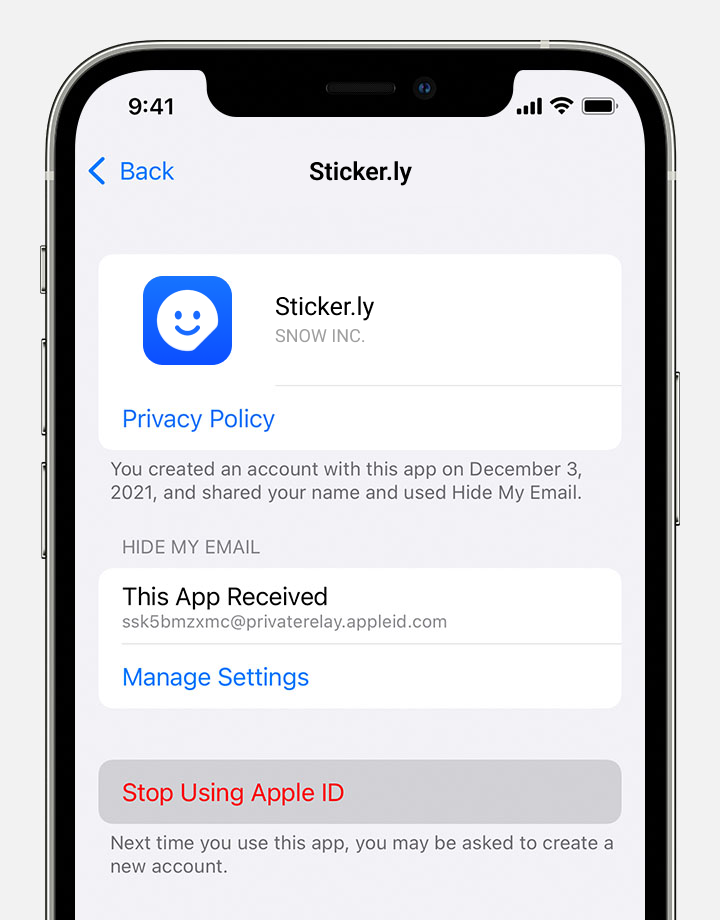
- For more information, please check the link below for more details. https://support.apple.com/HT210426